There's no single best tool for CI/CD (automatically building, testing, and deploying code on every change): the right choice depends on where your code lives, who will maintain the build system, and whether you need full control over the infrastructure. In this article, we compare six tools: GitHub Actions, GitLab CI/CD, Jenkins, CircleCI, Bitbucket Pipelines, and Woodpecker CI. If your code lives on GitHub, GitHub Actions is the first candidate.
If it's on GitLab, the built-in GitLab CI/CD is the natural pick. If your requirements are unusual (a rare environment, an air-gapped setup, complex build logic), take a look at Jenkins. This is just a starting point, not a hard rule: below we break down the criteria you should use to validate that choice. This article assumes you already know what CI/CD is and are picking a tool. We don't cover pipeline design itself (the sequence of steps from build and test to deploy) — that's a topic for separate articles.
What a CI/CD tool needs to do: selection criteria
Before comparing names, settle on your criteria. These same six criteria form the basis of the comparison table.
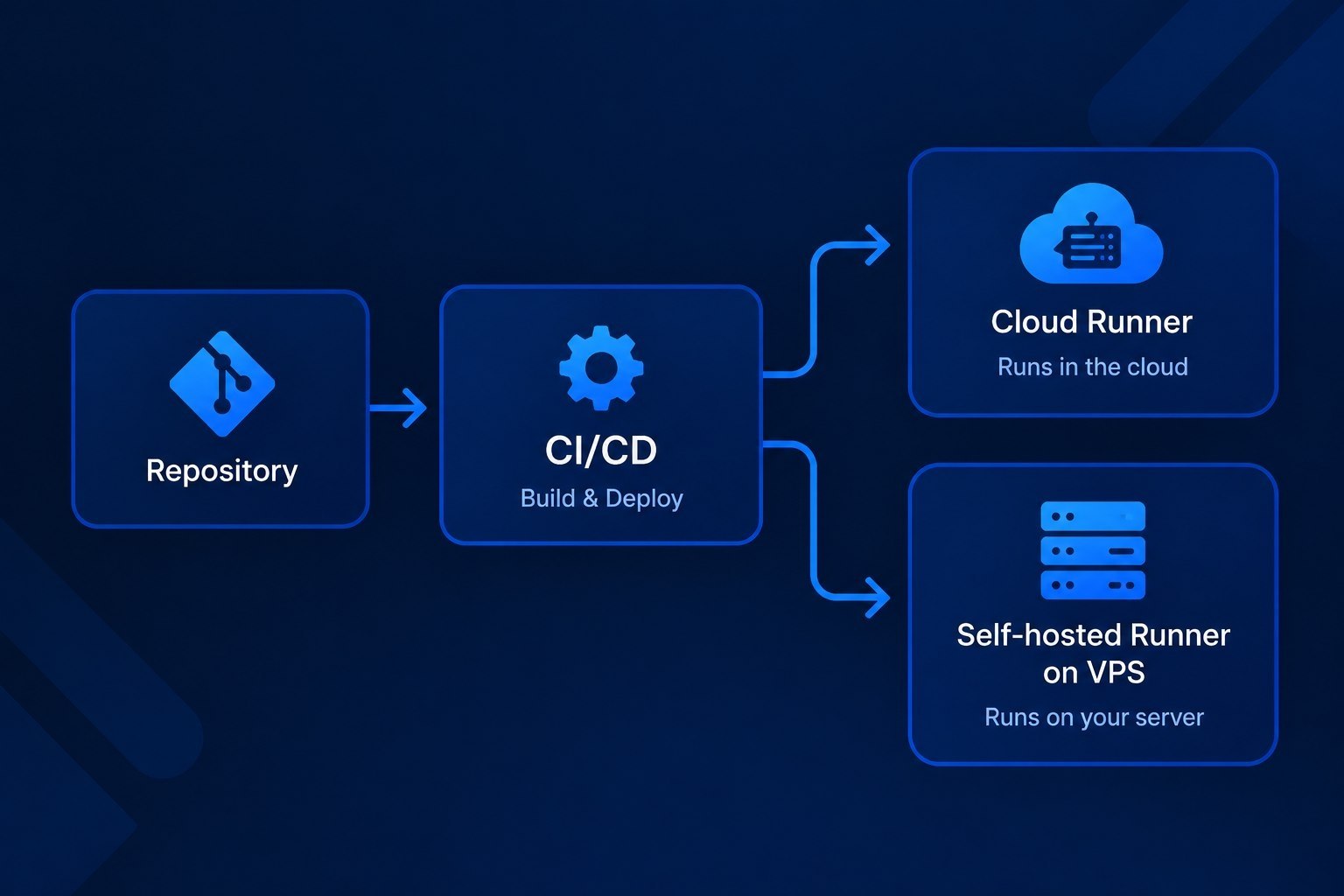
Where it runs: a cloud service, your own server (self-hosted: you install and maintain the system), or both.
Repository integration: how tightly the tool is tied to your code hosting platform, or whether it can work with any of them.
Configuration model: the pipeline is described in a YAML file alongside the code, in a script, or configured through a web UI.
Ecosystem: whether there are ready-made steps, plugins, and integrations so you don't have to write routine operations from scratch.
Pricing model: whether you pay for build minutes, per user, for a server, or just for your own time.
Administrative overhead: who updates the system, watches over the runners (agents that execute the builds), and fixes failed builds.
Ecosystem and administrative overhead are easy to overlook when choosing. Ready-made steps and plugins save you from writing routine operations (building, publishing, notifications) from scratch. Administration eats into your working time: updates, plugin compatibility, backups, and troubleshooting failed builds. The most flexible option usually turns out to be the most labor-intensive to maintain.
Overview of the main tools
For a small team, the easiest starting point is the built-in solution of the platform where your code lives: GitHub Actions, GitLab CI/CD, or Bitbucket Pipelines. Jenkins and Woodpecker CI make sense when you need to keep the build system on your own server. Each tool below is described using the same structure: who it's for, strengths and weaknesses, hosting model, and pricing model.
GitHub Actions
Who it's for: projects whose code already lives on GitHub and who don't want to bring in a separate service.
Strengths: automation is built right into the platform, pipelines are described in YAML files inside the repository (in GitHub Actions these are called workflows), and ready-made steps (actions) are collected in a shared marketplace. Triggering on repository events (push, pull request, release) requires no additional integrations.
Weaknesses: the tool is tightly coupled to GitHub. Moving to another platform means rewriting your configuration. Third-party actions need to be vetted: you're pulling someone else's code into your build process.
Hosting: builds run on GitHub's cloud-hosted runners or on your own self-hosted runners.
Pricing model: cloud runners are covered by your account or organization plan, which includes a certain number of build minutes, with usage-based billing beyond that. Check GitHub's official pricing page for the terms on self-hosted runners.
GitLab CI/CD
Who it's for: teams that use GitLab as a single platform for code, issues, and builds.
Strengths: CI/CD is built into GitLab, the pipeline is described in a .gitlab-ci.yml file, and builds are executed by runners (GitLab Runner). You can use the platform as a cloud service or deploy it entirely on your own server.
Weaknesses: the full value only shows up when working inside GitLab. If your code lives elsewhere, you'll need to set up mirroring or look at another tool. A self-hosted GitLab instance (GitLab's documentation calls this a self-managed installation) requires regular upkeep.
Hosting: a cloud service or a self-hosted (self-managed) installation. Runners can be run on your own servers in either case.
Pricing model: subscription-based plans. In the cloud, each plan includes a limit of compute minutes on GitLab's runners, and extra minutes can be purchased. For self-managed installs there's a free Community Edition, with advanced features available by subscription. Builds on your own runners don't consume the cloud's compute minutes.
Jenkins
Who it's for: teams with non-standard requirements that have someone ready to maintain the system.
Strengths: it's an open-source project with an official plugin directory (plugins.jenkins.io). The pipeline is described in a Jenkinsfile, and the system can be deployed in an air-gapped environment with no internet access, configured to fit almost any process.
Weaknesses: Jenkins is installed and maintained by you. Updates, plugin compatibility, security, and backups are all on your plate. If nobody on the team is willing to handle that, Jenkins is best avoided.
Hosting: installed and maintained by you: you need a server running continuously for the controller and build agents (in Jenkins, agents play the same role as runners in other systems).
Pricing model: the software is free and open-source. You pay for the server it runs on and for the time spent maintaining it.
CircleCI
Who it's for: teams that want cloud-based CI/CD that isn't tied to their code hosting platform.
Strengths: a cloud service with configuration in a YAML file in the repository and its own library of reusable components (orbs). A good fit for teams that don't want to administer build infrastructure.
Weaknesses: it's a separate service with its own pricing model, meaning another bill and another access-control system to manage. Check the official website for current plan terms before choosing.
Hosting: cloud, plus your own runners for jobs that need a custom environment.
Pricing model: there's a free plan with limits and paid plans. The paid tier depends on the plan and the volume of build resources consumed; exact terms are listed on the official website.
Bitbucket Pipelines
Who it's for: teams that store code in Bitbucket and want minimal extra setup.
Strengths: the service is built into Bitbucket, configuration lives in a bitbucket-pipelines.yml file, and steps run in containers. If you're already in the Atlassian ecosystem, integration with the issue tracker feels natural.
Weaknesses: the tool is tightly tied to its platform. Outside Bitbucket, it offers little value.
Hosting: Bitbucket's cloud, with the option to connect your own runners.
Pricing model: build minutes are included in your Bitbucket Cloud plan, billed per user; additional minutes can be purchased.
Woodpecker CI (a self-hosted solution)
Who it's for: solo developers and small teams who keep their code on their own server (for example, in Gitea or Forgejo) and want a simple build system without heavy infrastructure.
Strengths: it's an open-source project, a community fork of Drone. Pipeline steps run in containers, configuration is defined in YAML files in the repository, and the system itself consists of a server and an agent. It works with Gitea, Forgejo, GitHub, GitLab, and Bitbucket.
Weaknesses: fewer ready-made steps, integrations, and community resources than GitHub Actions and Jenkins. Before adopting it, check that the project is actively maintained and fits your stack. Gitea Actions is another option in the same niche.
Hosting: installed and maintained by you, typically on a small VPS.
Pricing model: a free, open-source project. You only pay for the server and the time spent maintaining it.
Jenkins vs. GitLab CI/CD: what's the difference
Jenkins is a standalone automation system: it works with different code repositories through plugins, but you have to install and maintain it yourself. GitLab CI/CD is built into the GitLab platform, so code, issues, and builds all live in one system, and the pipeline is described in a .gitlab-ci.yml file. GitLab is available as a cloud service, while Jenkins can only be self-installed. If your code is in GitLab, GitLab CI/CD means fewer external components. Jenkins makes sense when your code is spread across several different systems or you need build logic that's easier to describe as a script in a Jenkinsfile.
Comparison table
The table compares the six tools against the selection criteria: where it runs, repository integration, configuration, ecosystem, pricing model, and administrative overhead. Pricing and free-plan limits change over time, so the table lists only the pricing models; check the official tool pages for current terms.
Tool | Where it runs | Repository integration | Configuration | Ecosystem | Pricing model | Administrative overhead |
GitHub Actions | Cloud, self-hosted runners | GitHub | YAML in the repository | Marketplace of ready-made actions | GitHub plan: included minutes, usage-based beyond that | Low in the cloud, higher with self-hosted runners |
GitLab CI/CD | Cloud or self-hosted (self-managed) | GitLab | YAML (.gitlab-ci.yml) | GitLab templates and components | Subscription plans, limited cloud minutes, extra minutes purchasable | Low in the cloud, high when self-hosted |
Jenkins | Installed and maintained by you | Different systems via plugins | Jenkinsfile and web UI | Jenkins plugin directory | Free; you pay for the server and maintenance time | High |
CircleCI | Cloud, self-hosted runners | GitHub, Bitbucket, GitLab | YAML in the repository | Orbs library | Free plan with limits, paid plans | Low |
Bitbucket Pipelines | Bitbucket cloud, self-hosted runners | Bitbucket | YAML in the repository | Ready-made pipes and Atlassian integrations | Minutes included in the Bitbucket Cloud plan, extra minutes purchasable | Low |
Woodpecker CI | Installed and maintained by you | Gitea, Forgejo, GitHub, GitLab, Bitbucket | YAML in the repository | Project's plugin directory | Free; you pay for the server and maintenance time | Medium |
How to read the administration rating:
Low: updates and infrastructure are handled by the service provider; all you need to do is configure the pipeline.
Medium: you need to maintain your own server, but the system consists of just a couple of components (server and agent running in containers).
High: updates, plugins, security, and backups are entirely on you. These ratings are relative: they reflect the scope of tasks on your side, not the number of hours involved.
Cloud or self-hosted: which to choose
Cloud services take the infrastructure burden off your hands: no need to install the system, update it, or keep an eye on build machines. If your project has none of the constraints listed below, cloud runners are enough, and it makes sense to start there. If you need builds for macOS or Windows, check whether the cloud service offers runners with those OSes: you can't run such builds on a Linux VPS, and macOS builds require Apple hardware.
Running your own server makes sense once the cloud's limitations can't be worked around with configuration alone. Self-hosted is justified if:
the build requires an isolated environment, or code that can't be sent to an external service;
you need a non-standard environment: specific software versions, unusual dependencies, a custom toolset;
builds need access to an internal network or infrastructure that's closed off from the internet;
your cloud build minutes exceed what's included in the plan, and the bill for them is comparable to the cost of running a server around the clock.
Any savings from running your own server need to be checked against your own numbers: every service has its own terms, and a self-hosted server adds maintenance work. For a self-hosted setup, running your own runner, Jenkins, or Woodpecker CI typically requires an always-on Linux server, and such a server is easy to deploy on a VPS with one click from our app marketplace.
If you're planning to run a runner on a separate machine so builds don't interfere with your production projects, check out our VPS plans and pick a configuration that matches your build workload. Use the official documentation of your chosen tool for minimum resource requirements. If you haven't worked with a VPS before, start with our guide, VPS for beginners: what it is and how to choose one.
Selection scenarios
Below are five typical situations. Treat them as starting points, not strict recommendations: validate your choice against the selection criteria.
Situation | Option | Why |
Solo developer, code on GitHub | GitHub Actions | No need to stand up and maintain a separate system, and configuration lives right next to the code |
Solo developer with their own Git server | Woodpecker CI | Consists of a server and an agent running in containers, and works with Gitea and Forgejo |
Small team on GitLab | GitLab CI/CD | Code, issues, and builds in one system, with fewer integrations |
Strict security requirements | Jenkins or self-hosted runners | Full control over the environment and network, but all maintenance responsibility falls on you |
Legacy stack and non-standard processes | Jenkins | Plugins and a Jenkinsfile let you build in non-standard steps |
Conclusion
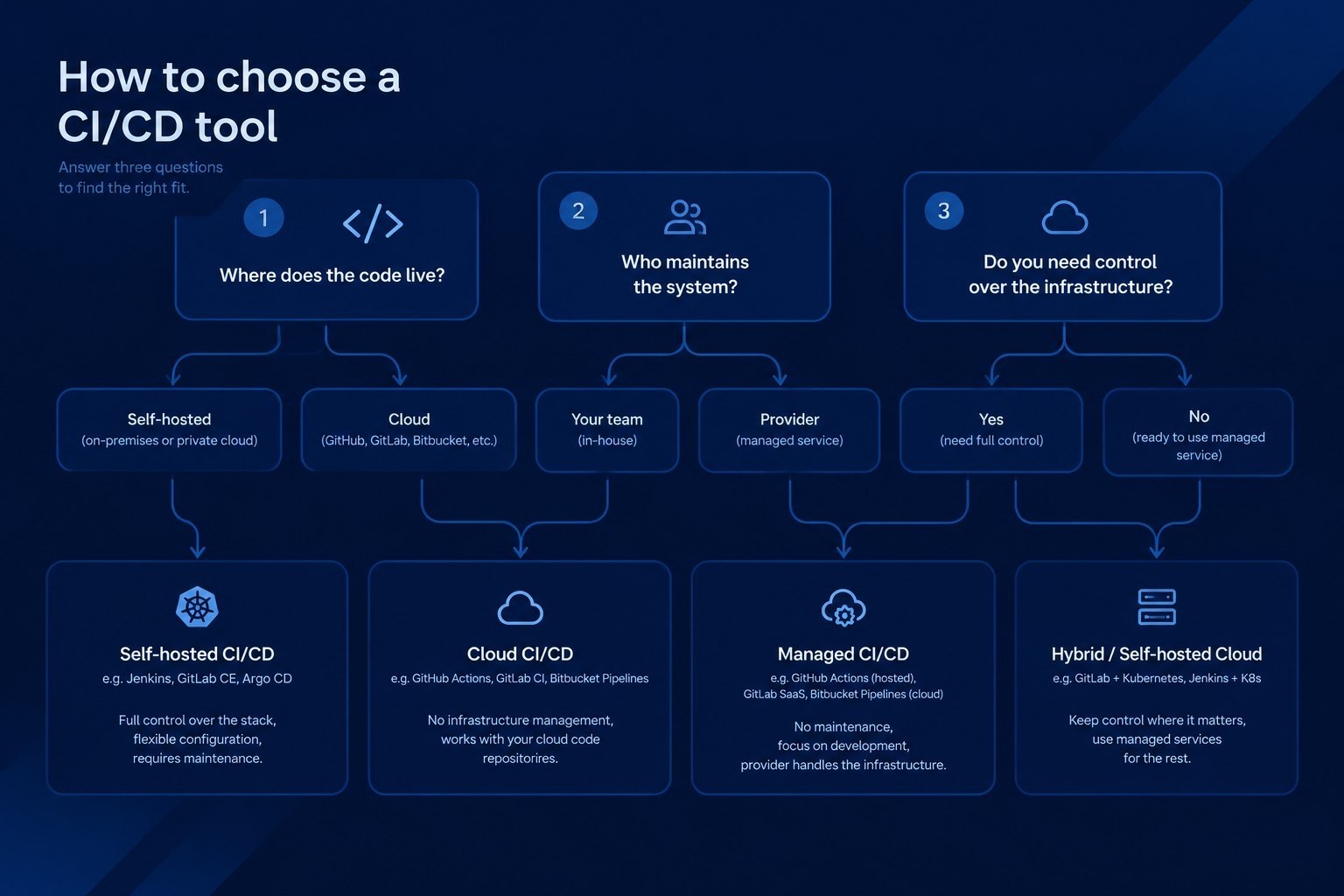
Choose your tool by answering three questions. Where does the code live: if it's on GitHub, GitLab, or Bitbucket, start with that platform's built-in solution. Who will maintain the system: if there's no dedicated person for it, avoid options that demand constant upkeep. Do you need control over the infrastructure: if so, look toward self-hosted options: Jenkins, GitLab with self-hosted runners, or Woodpecker CI.
If you're going with a self-hosted option, a VPS is a convenient way to host your runner or build server: you can compare configurations and VPS pricing on the plans page. Everyone else doesn't need a dedicated server: cloud solutions are enough to get started.