Most small businesses are better off starting with a cloud server: it requires less upfront investment, launches without buying hardware, and lets you adjust resources as load changes. A dedicated server makes sense when the load is consistently high, the software requires specific hardware, or you need full control over the physical configuration. Below is a breakdown of how these options differ, when each one fits, and how to decide without overpaying.
How a cloud server differs from a dedicated server
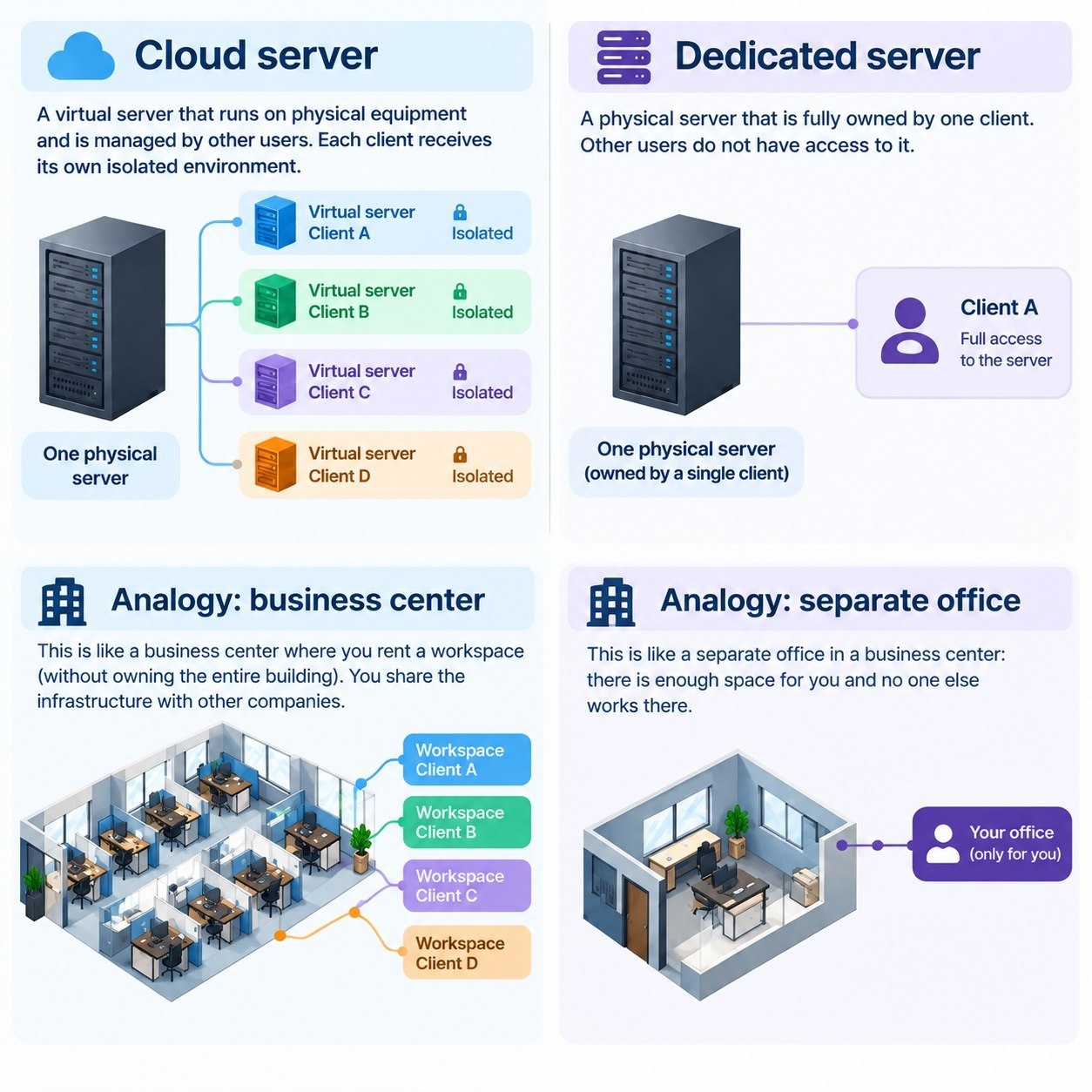
To get on the same page, let's first clarify the difference between cloud and dedicated servers. We'll start with the most important distinction.
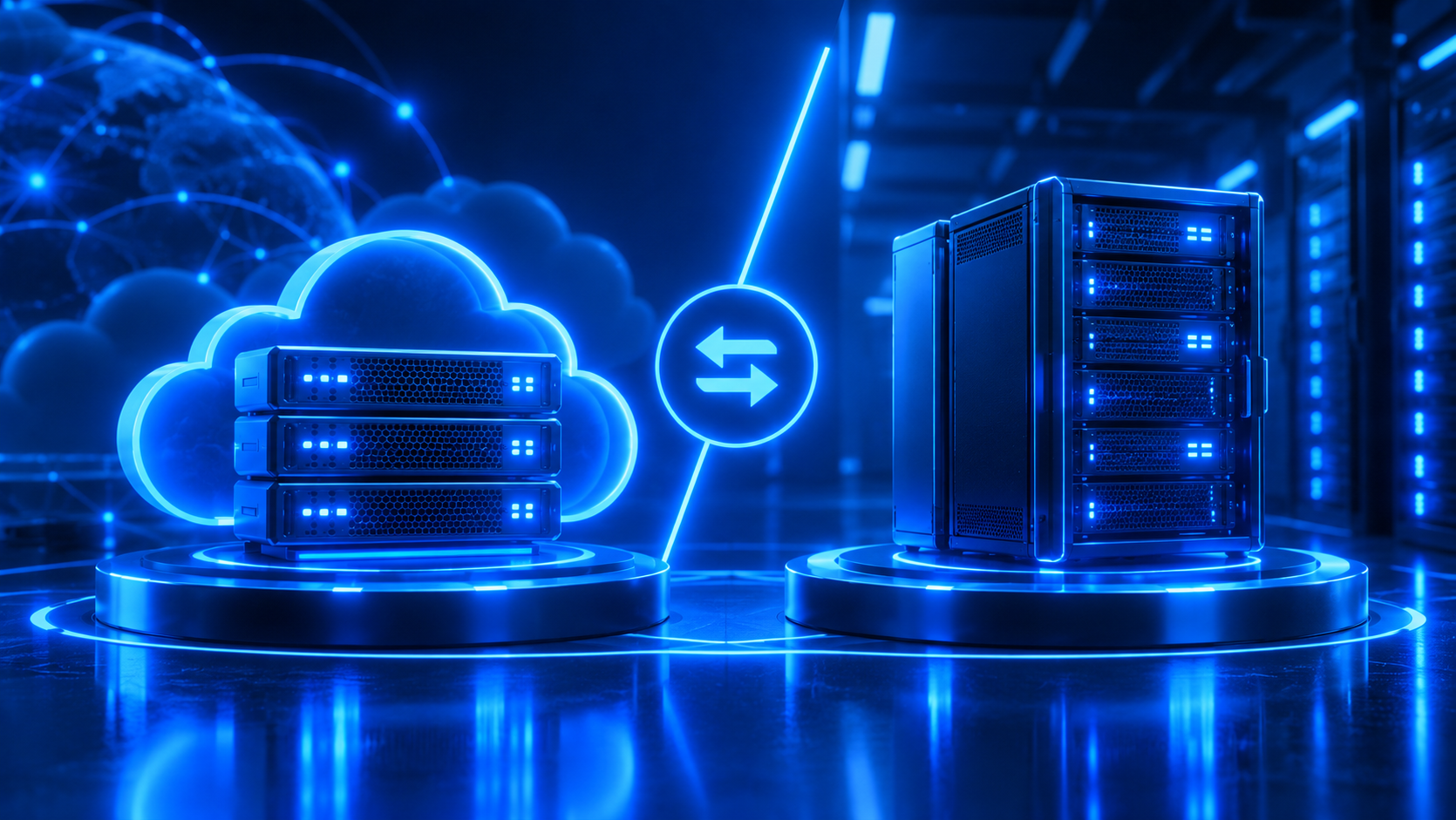
Cloud server
A cloud server (also called a VPS) runs on the provider's physical hardware. Virtualization technology splits a single physical machine into several isolated environments, each with its own computing resources. That doesn't mean several clients share one processor uncontrollably and wait their turn. Depending on the platform, you get resources allocated according to your plan: CPU cores, RAM, and disk space. For a business, it's simple: you're not renting an entire physical machine, just a defined set of resources. Everything else happens inside the host's infrastructure.
Dedicated server
A dedicated server is a different model. For the entire rental period, the physical machine belongs to a single client. That client takes full control of the processor, RAM, storage, and all available hardware capabilities. There's no virtualization between clients, because there simply isn't a second client on that server.
To put the difference simply, think of renting a private office versus renting a desk in a coworking space. These are different scales. With an office, the whole space is yours. When you rent a desk, you get an isolated spot inside a shared building, and that building is the provider's infrastructure.
The word "cloud" doesn't mean "slow" or "unreliable." Performance depends much more on the specifics of a given plan, the platform's architecture, storage type, CPU load, network, and overall infrastructure quality.
When small businesses choose a cloud server
This is where it gets interesting — the economics. The decision to start with a cloud server is usually driven by cost considerations: why pay for capacity you're not using. Below are typical situations where a cloud server makes more sense than a dedicated one.
A website or online store gets unpredictable traffic
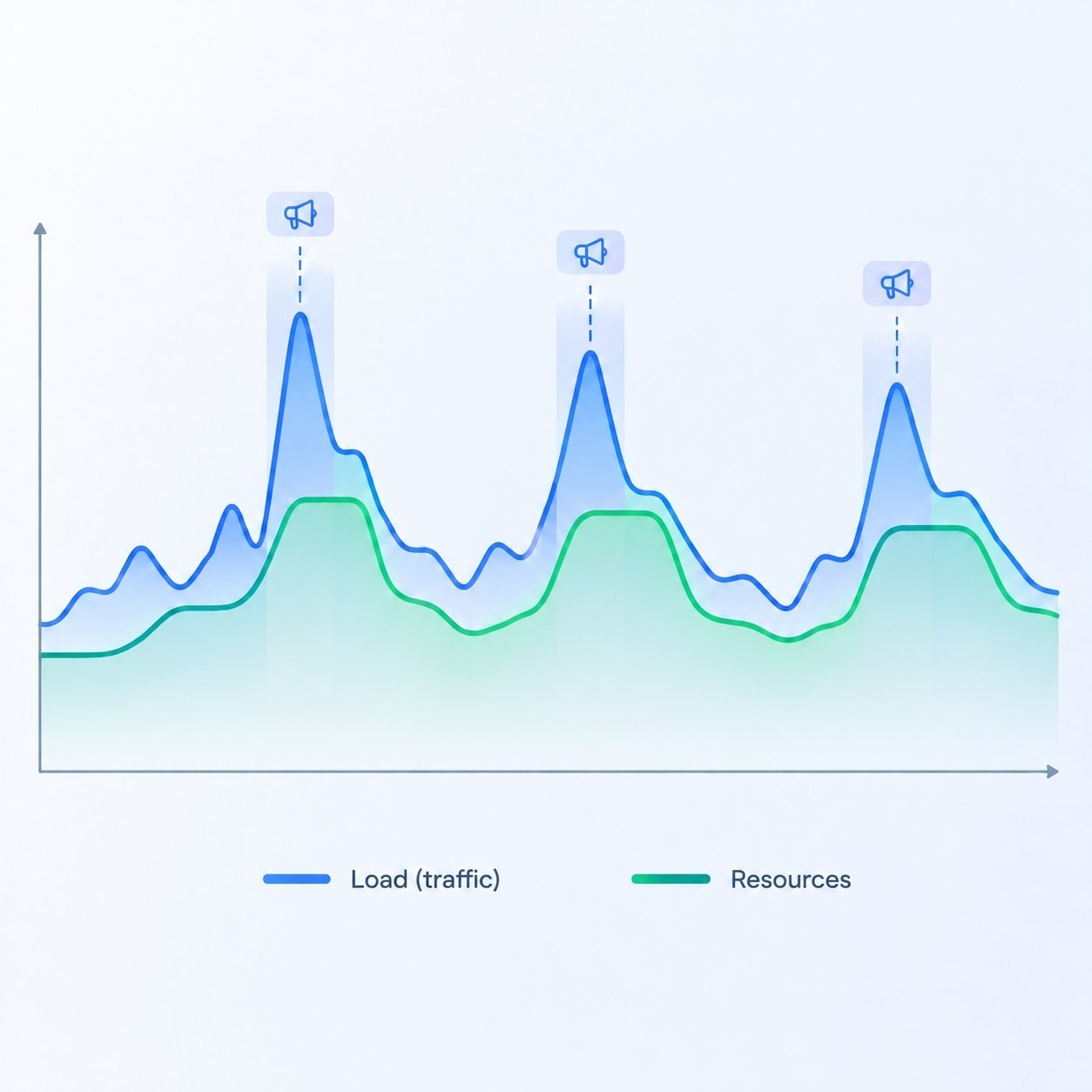
You launch a site, start working on SEO, and at first traffic is near zero. The capacity sits unused because it's simply not needed yet. Then you launch an ad campaign, and traffic spikes far beyond what you expected. A cloud server is great precisely because it lets you stay flexible: need more power — add it; don't need it — scale it back. You adjust resources as the load grows or shrinks, without having to buy a physical machine to do it.
Who it's for: online stores, booking services, and any site where traffic is largely driven by advertising.
A company is launching a new project and doesn't yet know how big it will get
When a business launches, it doesn't know whether the expected growth will actually happen. You can plan for one outcome and end up with a completely different result. That's why buying hardware on the assumption that "we might need it in two years" is a questionable idea — and as an investment, a poor one.
A cloud server is a starting point with an optimal configuration. Did the business grow? Great — you won't have to go through the process of selecting, purchasing, and installing physical hardware. It's enough to increase CPU, RAM, or disk space within the limits of your plan and the provider's platform. The process and timing for changing your configuration depend on the specific provider's terms, so check them in advance.
Who it's for: startups with a multi-year growth forecast who also have a realistic view of the risks.
You need test and production environments
A developer may need a separate server to test a CRM update, a new website, or an application. Once the work is done, the need for those resources disappears. In that case, paying for an always-on physical server is like keeping a separate office just for one meeting a month.
Who it's for: developers and teams who plan their tasks ahead and keep an eye on costs.
The business has a limited IT budget
Dedicated infrastructure requires paying for physical resources regardless of how actively they're used. With the cloud model, it's easier to match the configuration to the current task. There's no need to invest upfront in server hardware purchases, replacements, memory upgrades, or other capital expenses. The business pays for infrastructure rental instead of building its own hardware fleet.
Who it's for: any company with a limited budget for building its own infrastructure.
The company doesn't have a dedicated system administrator
This is a common situation. There's an accountant, managers, a sales team, a director, and a website — but no one watching over a physical server around the clock. A cloud server shifts part of the infrastructure burden onto the provider. However, root access and management of the operating system itself can still remain the client's responsibility, so you won't be able to eliminate technical work entirely.
Who it's for: any company without a sysadmin on staff.
When a dedicated server is fully justified
Picture a production floor with a well-established manufacturing cycle. All the machinery belongs to one company: there's no need to pay rent, and the "invest once, profit for years" model is entirely justified. The same logic applies to a dedicated server. If a company needs full capacity from day one, it makes sense to invest once in its own IT infrastructure: over time, the hardware will pay for itself and run reliably for the business.
Consider a dedicated server if at least one of the following applies:
CPU, RAM, or disk load is consistently high, rather than spiking for just a few hours a month;
the software has strict requirements for specific hardware;
you need full control over the physical configuration;
you rely on specialized storage, controllers, or other hardware components;
you have physical data and infrastructure isolation requirements that the chosen cloud architecture can't meet;
the cost of ongoing cloud resources becomes comparable to renting a physical server.
That last point is especially important. What you should compare isn't the price of cloud versus dedicated plans, but the total cost of infrastructure at your actual load. For the vast majority of small websites, CRMs, corporate systems, and online stores, these requirements simply don't apply. So renting a physical server just for the feeling that "it's more powerful" usually doesn't make sense.
Cloud vs. dedicated server: comparison by key parameters
Parameter | Cloud server | Dedicated server |
What you rent | A set of resources (CPU, RAM, disk) on the provider's hardware | An entire physical machine |
Isolation | Isolation at the virtualization level | Physical: only your data is on the machine |
Deployment | Generally faster: no need to prepare physical hardware | Depends on hardware availability and preparation by the provider |
Scaling | Resources can be adjusted within the plan and platform's capabilities | Limited by the machine's configuration; growth requires a different configuration |
Cost model | Pay for the selected set of resources, easier to match to the current task | Pay for the entire machine regardless of utilization |
Load | Suited for variable or not-yet-defined load | Suited for consistently high load |
Hardware control | Limited by the platform's capabilities | Maximum: full control over configuration and components |
Hardware maintenance | Handled by the provider | Depends on the rental terms |
OS administration | Client-side (root access) | Client-side |
Best suited for | Small businesses, new projects, test environments | Projects with consistently high load and strict hardware requirements |
How much does a cloud server cost, and where to start
The price of a cloud server depends on the configuration you choose: the number of CPU cores, amount of RAM, disk size, and platform parameters. That's why a sensible strategy for a small business is to start with the minimal configuration that covers the current task and scale it up as load grows, rather than buying resources just in case.
If, after comparing your options, you're leaning toward a cloud server, check out Leneex's plans and pick a configuration for your task.
Checklist: which server fits your business
Answer the questions below — they'll help you figure out which option is closer to your situation.
Is the load on your project still unknown or does it change significantly (advertising, seasonality, testing)? If so, that's an argument for a cloud server.
Is the load on CPU, RAM, or disks consistently high, rather than occurring in occasional spikes? If so, it's worth comparing the cost with a dedicated server.
Does your software have strict requirements for specific hardware or hardware components? If so, consider a dedicated server.
Do you need full control over the physical configuration? If so, a dedicated server is the better fit.
Do you have physical data isolation requirements that a cloud architecture can't satisfy? If so, go with a dedicated server.
Is your IT budget limited, and would you rather not invest in hardware upfront? If so, start with a cloud server.
Does your company have a sysadmin ready to maintain the infrastructure? If not, keep in mind: a cloud server takes hardware maintenance off your plate, but not operating system administration.
Have you compared the total cost of infrastructure at your actual load, rather than just plan prices? If not, do that before deciding.
If most of your answers point to a cloud server, start there: switching to a different model later is usually possible, though it will require migrating your data. If points 2–5 turned out to be decisive, it's worth considering a dedicated server.
Conclusion
The choice between a cloud and a dedicated server comes down to three questions: how predictable is the load, are there strict hardware requirements, and how much are you willing to invest upfront. If the load is variable or still unclear, and the budget is limited, a cloud server is a sensible starting point. If the load is consistently high and you need full control over the hardware, a dedicated server is worth considering. If you go with a cloud server, choose a configuration for your current task and scale it up as you grow.