
A DNS record is an instruction in a domain's DNS zone that tells systems what to do with a request for a specific name. One record links a domain to an IP address, another points to a mail server, a third sets up an alias, and a TXT record can be used to verify domain ownership and protect email. There are four DNS record types that come up most often: A, CNAME, MX, and TXT. Once you understand what each one does, it becomes much easier to point a site to a server, set up email, or verify a domain with a third-party service on your own.
What is a DNS zone
A DNS zone is a set of records associated with a domain. It stores information about where to route requests for a website, email, and various services. The authoritative DNS servers listed for the domain via NS records hold this zone and answer queries from other DNS servers. When you change an A, MX, CNAME, or TXT record, you're effectively changing the instructions that DNS resolvers receive. It helps to think of a DNS zone as a lookup table: name, record type, value, additional parameters.
A record — pointing a domain to an IP address
A DNS A record links a domain name to an IPv4 address of a server. For example:
example.com;
A;
203.0.113.10.
When a user types in example.com, DNS can return the IP 203.0.113.10. The browser then establishes a connection to the server at that address. A typical DNS zone entry looks like this:
Domain – example.com
Type – A
Value – 203.0.113.10
TTL – 3600
3600 is the TTL — the time, in seconds, that a cached DNS answer can be stored before it's refreshed. TTL doesn't mean the record itself "lives" for one hour: it defines how long the cached response stays valid before resolvers need to look it up again. There's a simple rule of thumb: the lower the TTL, the faster changes potentially reach users once caches expire. But this also means the DNS system performs lookups more frequently. A higher TTL reduces the number of repeated queries, but changes may stay cached longer before taking effect everywhere.
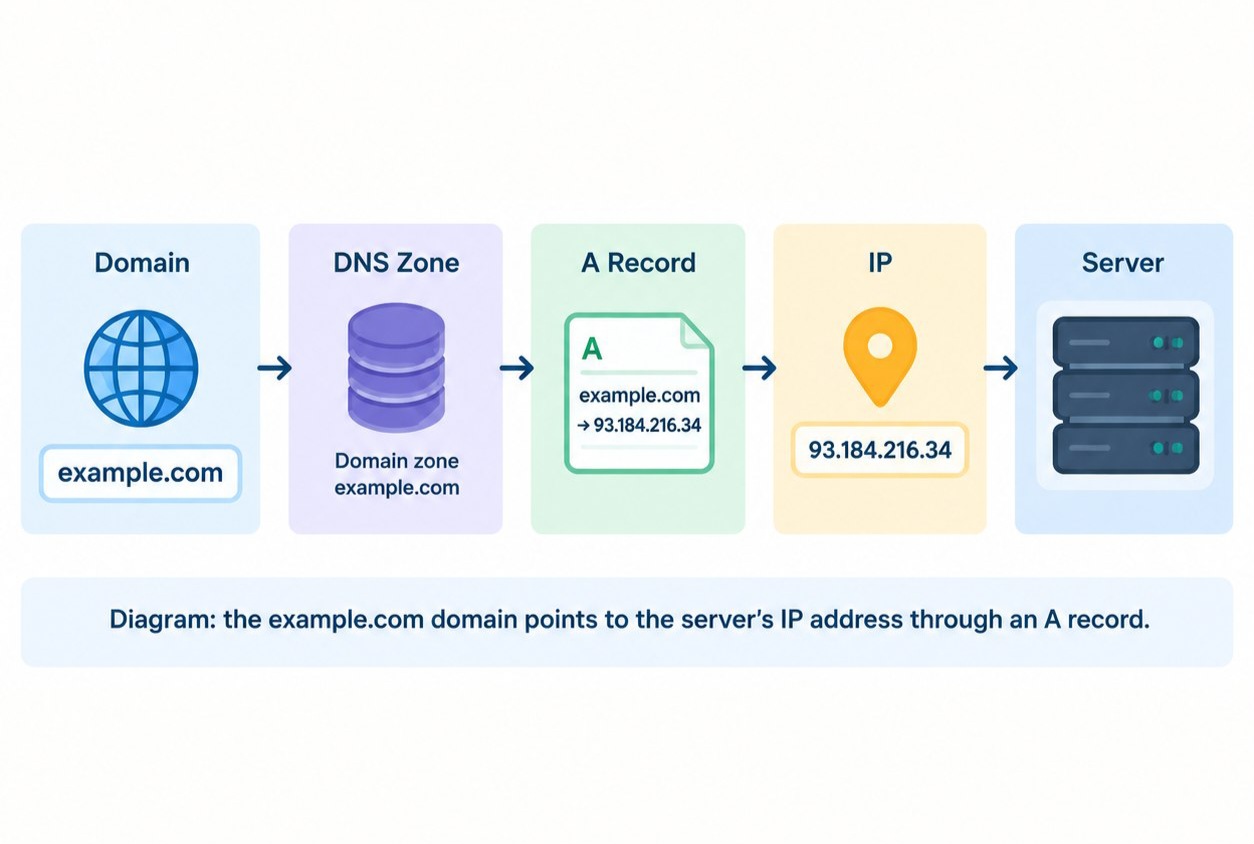
For IPv6, a different record is used — AAAA. It serves a similar purpose but holds an IPv6 address instead. In practice, an A record is usually needed right after you get a VPS. If a site is hosted on a server with a dedicated IPv4 address, the domain or subdomain is pointed to that address via an A record. When using a Leneex VPS, this is one of the basic steps for connecting a domain to the server. It's important not to confuse the A record with the domain name itself: the domain is the name, while the A record tells DNS which IPv4 address that name maps to.
CNAME record — an alias for another domain
A CNAME (Canonical Name) record creates a DNS alias, pointing one name to another domain name.
For example:
www.example.com. CNAME example.comwww.example.com doesn't have its own IP address. DNS tells resolvers to look up example.com instead and find the relevant records there, such as A or AAAA.
Important limitation: a CNAME record cannot be set on the root domain name (the apex), meaning on example.com itself. That's why the root typically uses an A record, while CNAME is used for subdomains like www. You can learn more about how CNAME works and when to use it in a separate article.
MX record — mail routing
An MX record for a domain defines which servers accept email for that domain.
For example:
example.com. MX 10 mail.example.comThe number 10 is the priority (preference). When there are several MX records, sending mail servers first try the server with the lower number, meaning the higher priority. This rule is defined in the SMTP standard (RFC 5321).
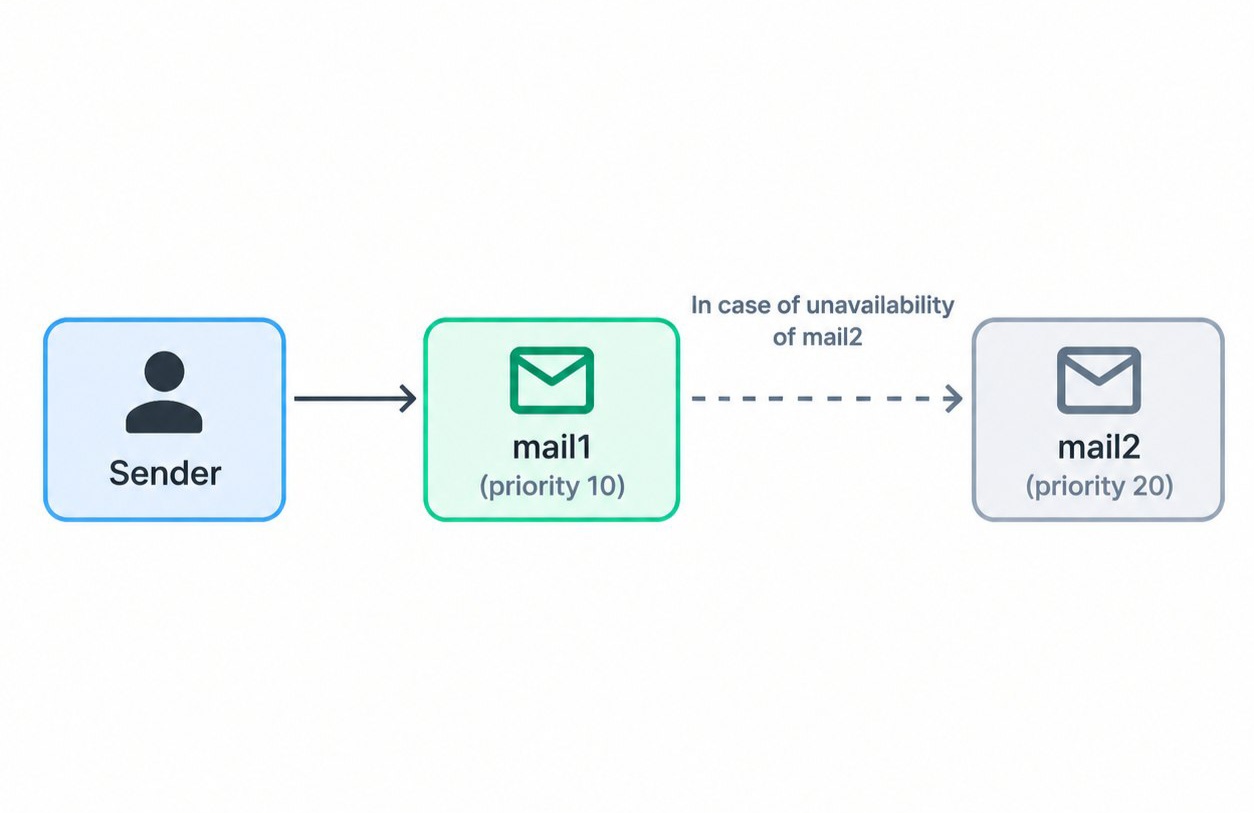
Multiple MX records are used for redundancy:
example.com. MX 10 mail1.example.com.example.com. MX 20 mail2.example.com.Mail is delivered to mail1.example.com first. If it's unavailable, the sending server tries mail2.example.com. If two records share the same priority, both servers can be used.
An MX record points to the name of a mail server, not to an IP address. That name must have its own A or AAAA record, otherwise the sender won't know where to connect. Also, MX only handles incoming mail: a website and its email can live on completely different servers, and the domain's A record has no effect on this.
TXT record — text data for domain verification and email protection
A TXT record stores arbitrary text tied to a domain name. On its own, it doesn't route any traffic — other services read it to verify the domain or retrieve configuration settings.
TXT records are most commonly used in two cases:
Domain ownership verification. A service issues a unique string, you add it to a TXT record, and the service confirms that you control the domain's DNS zone.
Email protection. SPF, DKIM, and DMARC rules are published as TXT records: they help receiving mail servers verify that a message was sent from an authorized server and hasn't been tampered with.
For example, a record for domain verification:
example.com. TXT "service-verification=a1b2c3d4" An example SPF record listing allowed sending servers:
example.com. TXT "v=spf1 ip4:203.0.113.10 ~all"Here, v=spf1 is the protocol version, ip4:203.0.113.10 is the authorized sender address, and ~all means mail from any other address should be treated as suspicious. DKIM and DMARC rules are also stored in TXT records, but under service-specific names — for example, _dmarc.example.com. Configuring them in detail is a topic for separate articles.
You can create several TXT records for the same name — for instance, to verify different services. The exception is SPF: there should be only one SPF record, since two SPF records cause validation errors. Service-related TXT records shouldn't be removed without good reason, as some services may re-check them periodically.
Comparing DNS records: A, CNAME, MX, TXT, NS, and SOA
The table below covers the four main record types plus two service records, NS and SOA, which are present in every DNS zone.
Type | What it does | What goes in the value |
|---|---|---|
A | Links a name to a server's IPv4 address | IPv4 address |
CNAME | Makes one name an alias of another | Canonical domain name |
MX | Defines which servers accept mail for the domain | Priority and mail server name |
TXT | Stores text for domain verification and email protection (SPF, DKIM, DMARC) | Arbitrary text string |
NS | Specifies the authoritative DNS servers that serve the zone | DNS server name |
SOA | Service record for the zone: primary name server, admin contact, serial number, and update parameters | Set of service parameters for the zone |
How A, CNAME, MX, and TXT work together
A typical DNS zone for a single domain might look like this:
example.com.    A    203.0.113.10
www.example.com.    CNAME    example.com.
example.com.    MX    10 mail.example.com.
mail.example.com.    A    203.0.113.20
example.com.    TXT    "v=spf1 ip4:203.0.113.20 ~all"
The site loads via the A record, the www subdomain points to the same place through CNAME, mail is routed to a separate server using the MX record, and the TXT record specifies which servers are allowed to send email on behalf of the domain.
Summary
An A record links a name to an IPv4 address, CNAME creates an alias, MX determines where mail is delivered, and TXT stores text data for domain verification and email protection. These four record types cover most of the tasks involved in setting up a website and email.
If you're pointing a domain to your own VPS, start with the A record: it links the name to the server's IP address. You can add the other records as needed — for subdomains, email, or domain verification.