
A domain availability check is a query to the domain zone registry's data, which shows whether the name has an active registration. DNS is not checked in the process. An important caveat: "available" in such a check doesn't always mean "can be registered right now." The name may be reserved, sold at a premium price, or in a redemption period after deletion.
As of 2026, registration data for generic top-level domains (gTLDs, such as .com and .net) is provided via RDAP. Country-code top-level domains (ccTLDs) follow their own rules, set by each zone's operator.
Right now you need to remember three terms. The registry is the organization that maintains the zone's domain database. The registrar is an accredited company through which a domain is registered. An availability check is a query that determines whether a name is already registered.
What happens after you enter a name
After you enter a name, the registrar sends a query to the zone's registry asking whether it's registered, and shows you the response. This path consists of five steps:
You enter a name, such as example.com, into a form on the registrar's website.
The registrar identifies the zone (.com) and finds the registry that serves it.
The registrar sends an EPP check command to the registry. EPP (Extensible Provisioning Protocol) is the standard protocol for communication between registrars and registries.
The registry checks the name against its database and zone rules and returns a response: the name is available or unavailable.
The registrar displays the result and, if the name is available, offers to complete the registration.
In country-code zones the logic is the same: registration is handled by accredited registrars, while the zone's database is maintained by the registry. The registry's response to the check command includes an availability flag and, if the name is unavailable, a reason — for example, that it's already registered or reserved. The registrar translates this response into a readable message on the site. That's why forms from different registrars for the same zone return the same result regarding registration status, and only the pricing and checkout flow may differ.
How WHOIS works on the Leneex website
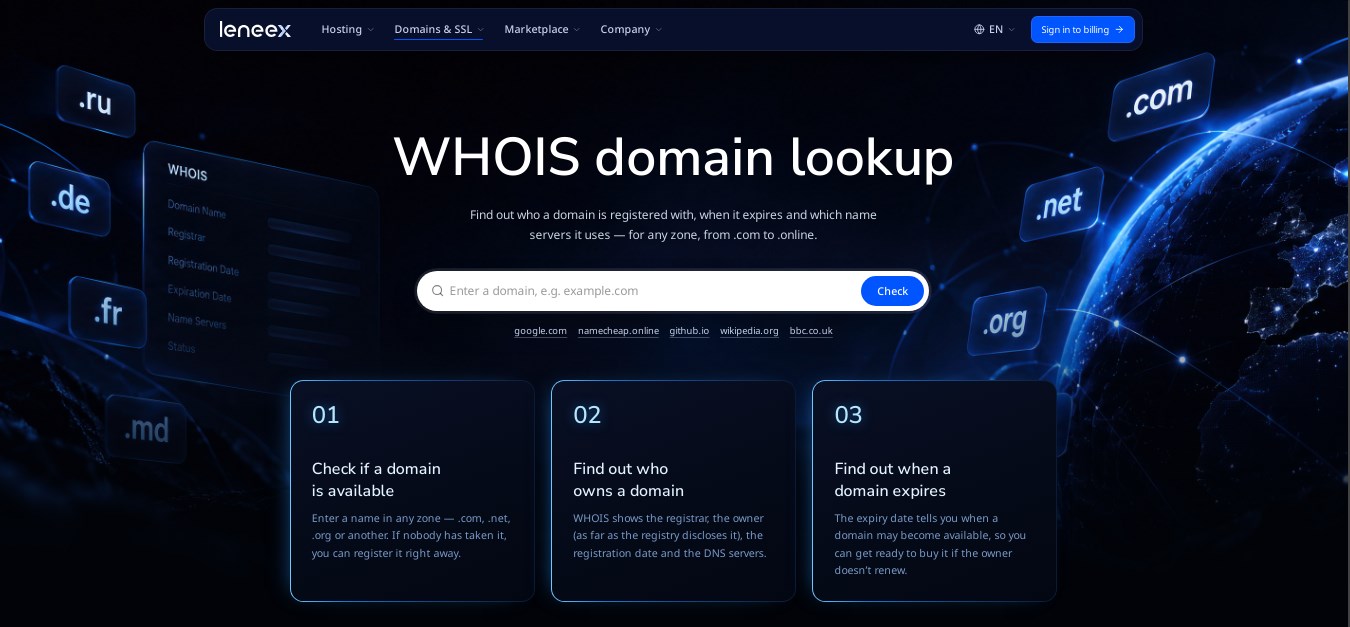
On our website you can use a tool that lets you get up-to-date information about a given domain. To do this, go to the WHOIS lookup page and follow a few simple steps.
Here's what the main page of the domain lookup service looks like.
We enter a domain name into the form. As an example, we used example.com
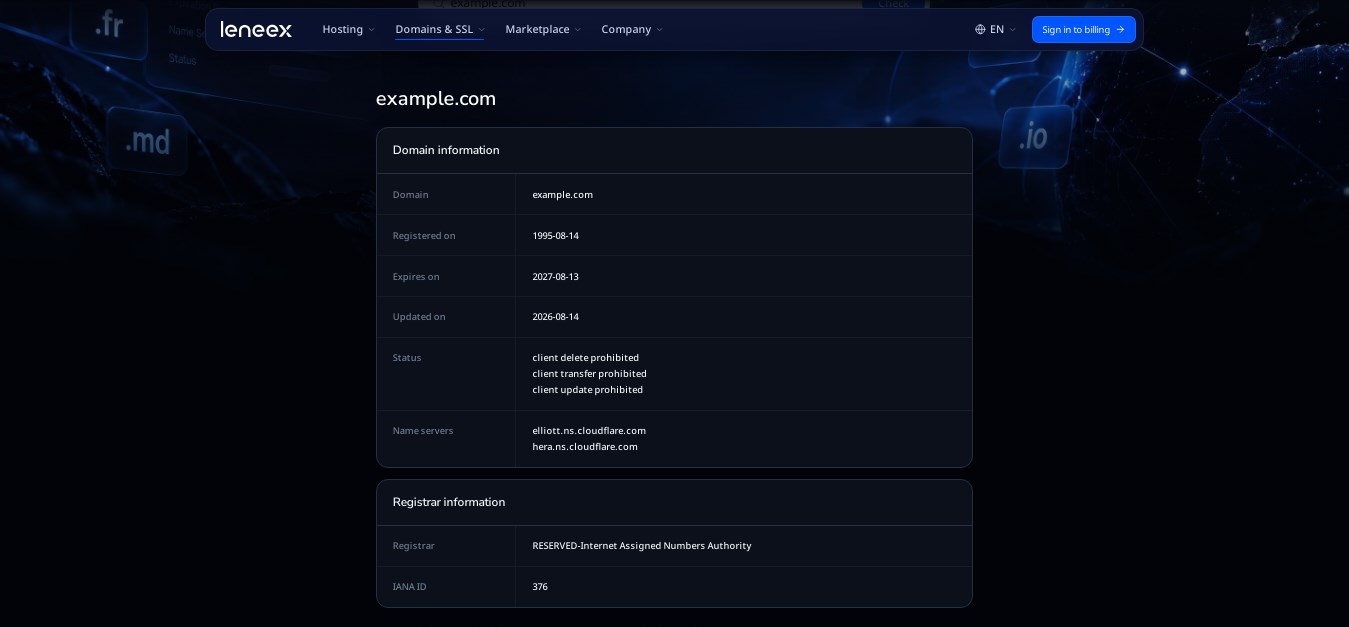
Please note that private information (owner name, contact details) is hidden in accordance with privacy rules (GDPR).
Who stores the data: registry and registrar
Domain registration data is stored by the registry, while the registrar is the one communicating with the user. The scheme has three parties in total: the user, the registrar, and the registry. For .com and .net, the registry operator is Verisign. The registrar acts on the client's behalf: it submits queries to the registry and maintains the records for the registered name.
WHOIS vs. RDAP: differences and where they apply
WHOIS is the traditional service for accessing domain registration data, while RDAP (Registration Data Access Protocol) is its modern replacement with a structured, machine-readable format. Both let you look up a domain's status, registrar, creation and expiration dates, and name servers, provided this data is publicly available.
As of January 27, 2025, ICANN designates RDAP as the primary source of registration data for gTLDs, and providing WHOIS is no longer mandatory for most of them. This requirement applies only to gTLDs. In ccTLDs, the rules are set by each zone's operator, so some zones run WHOIS, others RDAP, and some both. Some fields — primarily the owner's personal data — may be hidden or redacted under privacy rules. As a result, the response almost always shows the status and registrar, but not always the owner's contact details.
For comparison, the table also includes DNS, since it's often confused with an availability check.
Parameter | WHOIS | RDAP | DNS |
|---|---|---|---|
What it shows | Registration data: status, registrar, dates, name servers | The same data in structured form | Domain records: where to route traffic (A, CNAME, MX) |
Response format | Plain text, format depends on the server | JSON, a unified format, delivered over HTTPS | DNS records |
Source of data | Registry or registrar | Registry or registrar | DNS servers configured for the domain |
Where it applies (2026) | In some ccTLDs; optional for gTLDs since January 27, 2025 | In gTLDs (.com, .net, etc.); in ccTLDs per the zone operator's rules | For any domain with delegation configured |
Limitations | No unified format; some data is hidden under privacy rules | Not available in all ccTLDs; personal data may be redacted | Doesn't show whether the domain is registered |
No DNS records doesn't mean a domain is available
A domain can be registered and still have no DNS records at all. The owner may not have set up a website yet, or delegation may not be configured. In that case DNS returns an NXDOMAIN error even though the name is taken. DNS answers a different question: which IP address the A record points to and where to route requests to the domain. It doesn't show registration status. Learn more in the article about CNAME and DNS records.
Why "available" doesn't always mean "you can register it"
A name without an active registration may still be unavailable for ordinary purchase for three reasons: it's premium, it's reserved, or it's in the deletion process.
Premium names
These are short or catchy names that the registry or registrar sells at a higher price. The check will show that the name can be registered, but the price will be above standard.
Reserved names
A registry may exclude certain names from open registration under the zone's rules. Such a name can't be registered through the normal process, even if it has no owner.
Domain deleted but not yet available
"The domain is no longer active" and "the domain is available for new registration" are not the same thing. In gTLDs, after a domain is deleted, a redemption period begins with the redemptionPeriod status. Under ICANN rules it lasts 30 days, during which the previous owner can restore the domain through a registrar.
The domain then gets the pendingDelete status (about 5 days under ICANN rules), after which it's permanently removed from the registry and returned to the pool of available names. National zones have their own deletion and release procedures, so check the rules of the specific zone.
How to read the check result
The message on a registrar's website is a short translation of the registry's response. The table below shows what the most common results mean and what to do next.
What the service showed | What it means | What to do |
|---|---|---|
"Available" | There's no active registration in the registry; the name is available under the zone's rules | Register it right away — the status can change |
"Taken" | The name has an active registration | Check the details via WHOIS or RDAP, or pick a different zone or name |
"Premium" | The name is available, but at a higher price | Compare the price with your budget and consider alternatives |
"Unavailable" with no explanation | The name is reserved, in a redemption period, or doesn't meet the zone's rules | Ask the registrar for the reason |
Why different lookup services show different results
Discrepancies arise from caching and different data sources. A third-party service may store responses for a certain period, so its database doesn't update instantly. In addition, one service may query the registry or registrar directly, while another relies on its own database or an intermediary API. For an important check, pay attention to the data source, and when registering, rely on the result from the registrar itself.
What to do if the name is taken
If the check shows the name is taken, there are three main options:
A different zone. The same name may be available in a different zone, such as .net or a country-code domain. You can find an option at Leneex.
A different name. Add a word related to your site's topic, shorten the name, change the spelling, or add a hyphen if the zone allows it.
The current owner's registration expiration date. You can check the expiration date via WHOIS or RDAP. If it's coming up soon, the name might become available, but the owner can still renew the registration, so there's no guarantee.
How to check registration data yourself
For gTLDs, you can use the ICANN Lookup web search; for country-code zones, use the official service of the zone operator. On Linux, the whois example.com command is available, but the format of its response depends on the zone. For gTLDs, an empty WHOIS response doesn't mean there's no data — it may still be available via RDAP.
Conclusion
A domain availability check is a query to the zone registry through a registrar, not to DNS. An "available" result and the ability to register the name right now don't always match — premium and reserved statuses, as well as the redemption period after deletion, can get in the way. Once the principle is clear and you're choosing a name for your website, check it in Leneex's domain search, and if the name is available, go ahead and register it.
FAQ
What's the difference between WHOIS and a domain check on a registrar's website?
WHOIS shows the registration data of a domain that already exists. A registrar's form checks whether a name can be registered and immediately offers to register it.
Why does a domain show as "available" but I can't register it?
The result might have come from a cache, the name's status might have changed between the check and the registration attempt, or the name might be premium, reserved, or in a redemption period. The result of the actual registration operation is what counts as final.
What is a redemption period?
It's the period after a domain is deleted during which the previous owner can restore it through a registrar. For gTLDs, under ICANN rules it lasts 30 days; see the "Domain deleted but not yet available" section for details.
How often is domain availability data updated?
There's no single interval — it depends on the zone and the data source. Registry data updates faster than copies held by third-party services, which may cache responses.
How does WHOIS differ from RDAP?
WHOIS returns a plain-text response whose format depends on the server, while RDAP returns a structured JSON response under a unified standard. As of January 27, 2025, RDAP is mandatory for gTLDs.
Can I check a domain without a registrar?
Yes, you can check registration status through open WHOIS and RDAP services, such as ICANN Lookup. However, you can only register a name through an accredited registrar, and it's the registrar that gives the final result.